☁️
Cloudflare API Token
Cloud hosting, edge functions, and Workers AI integration.
Cloudflare powers global edge infrastructure and serverless AI functions used to deploy and host your agentic workflows.
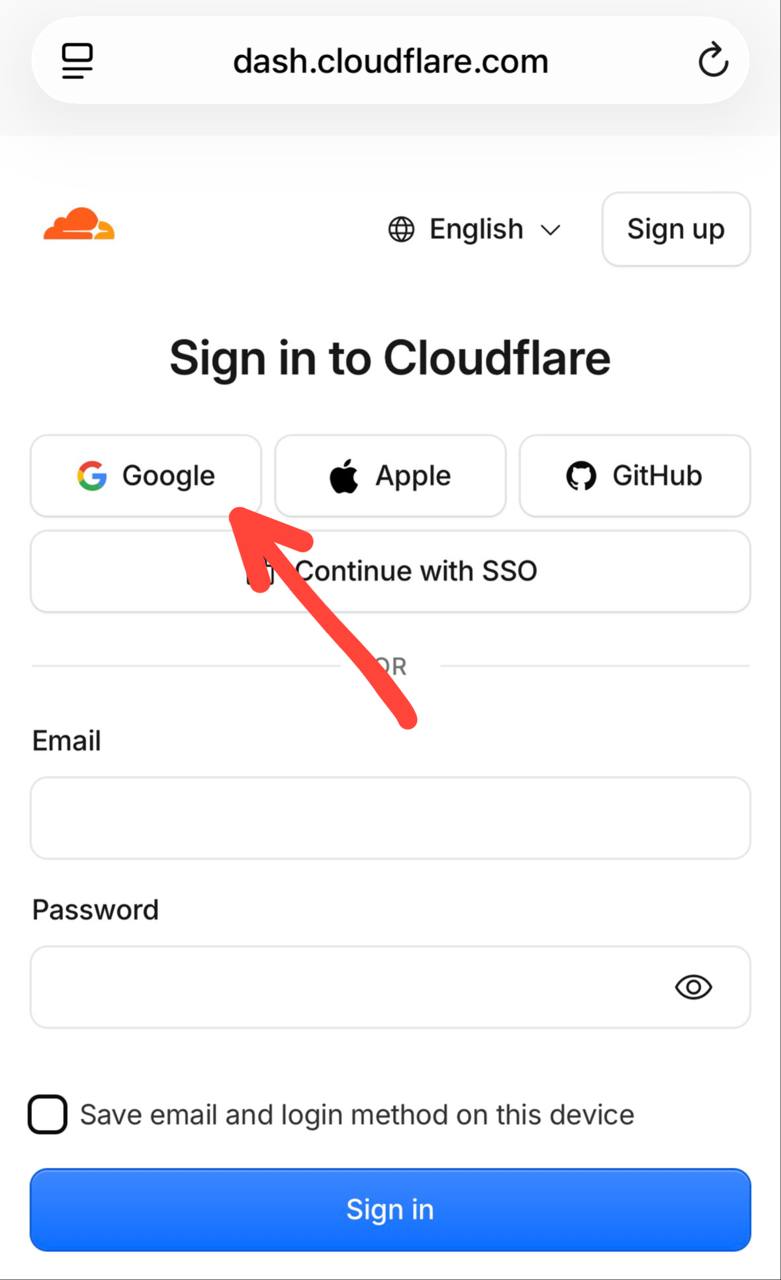
- Navigate to dash.cloudflare.com ↗
- Select Log in with Google.
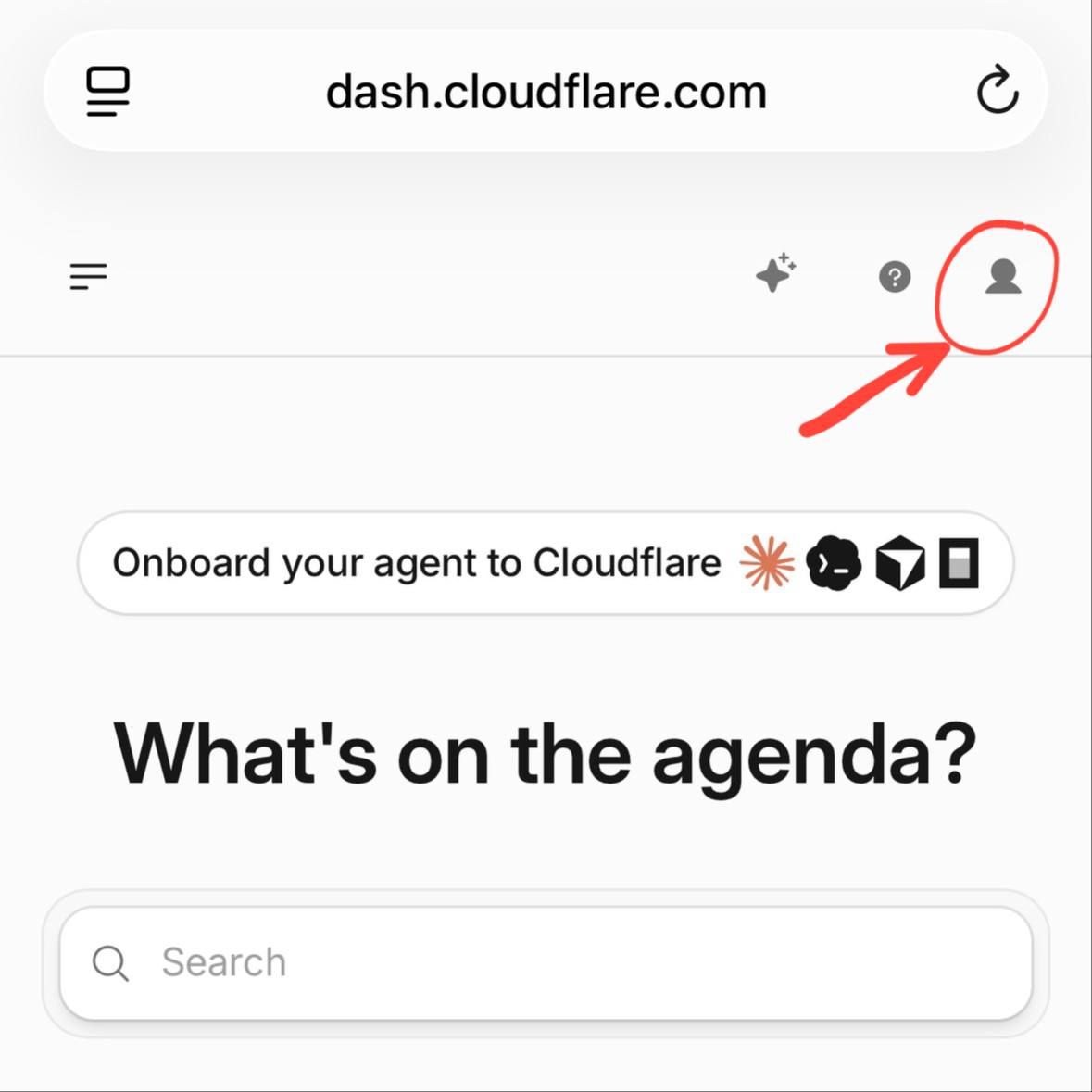
- Click your profile icon at the top right.
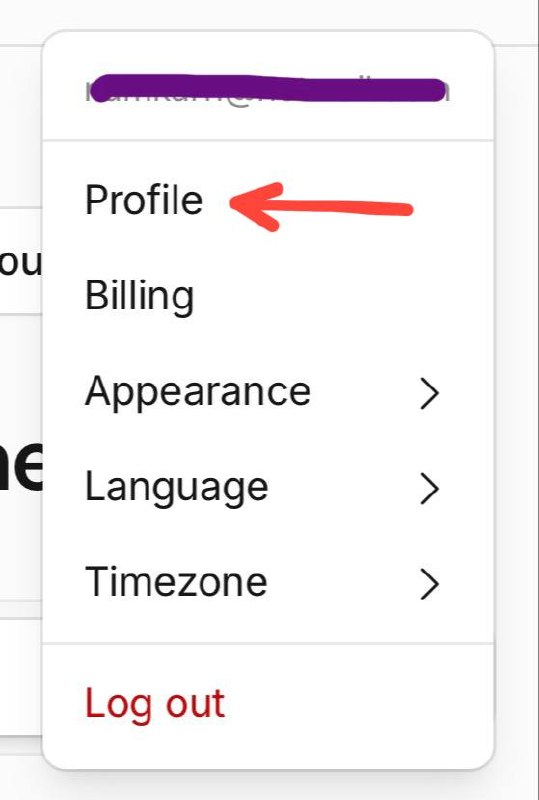
- Select Profile.
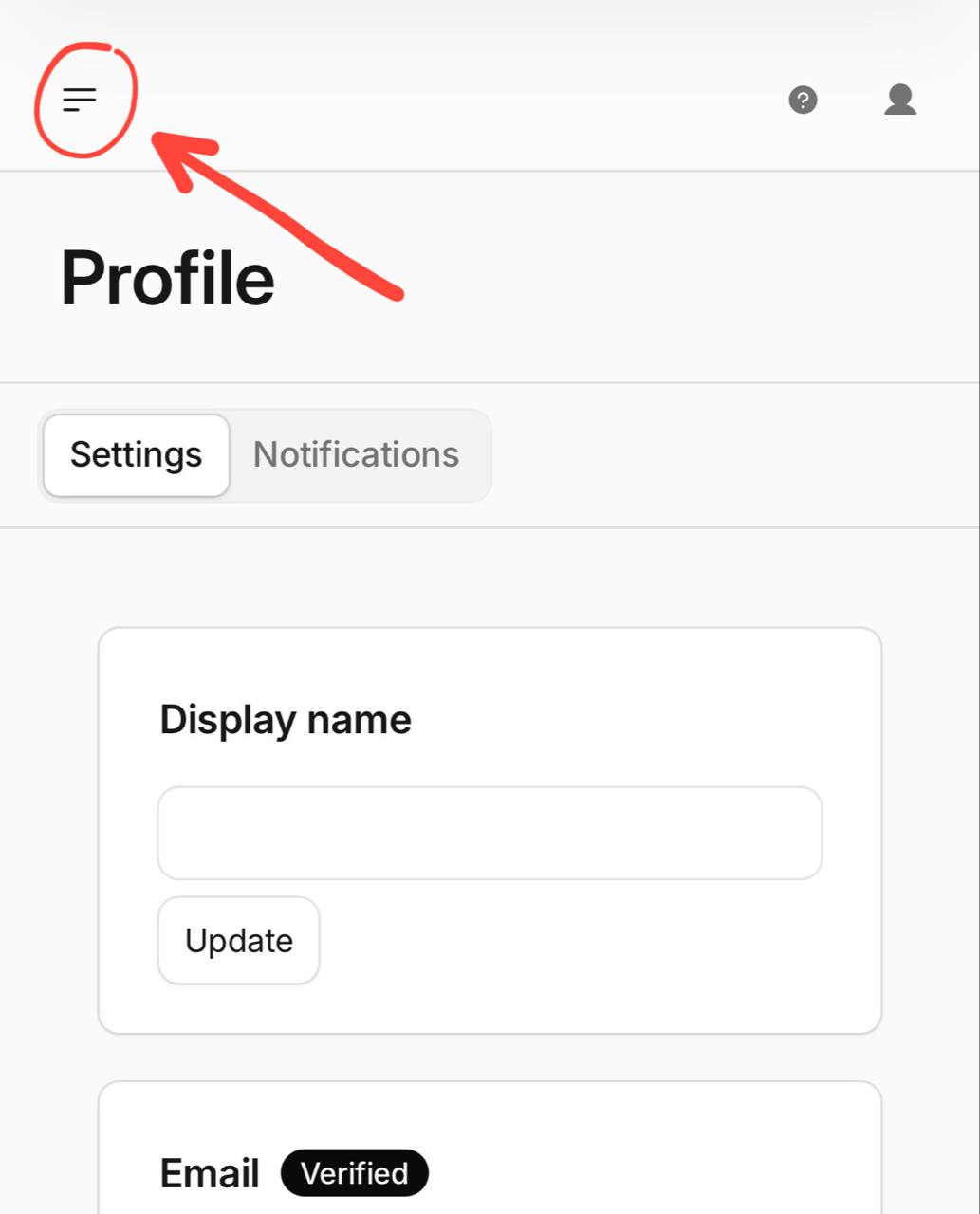
- Click the hamburger menu icon at the top left of the dashboard.
- Select API Tokens.
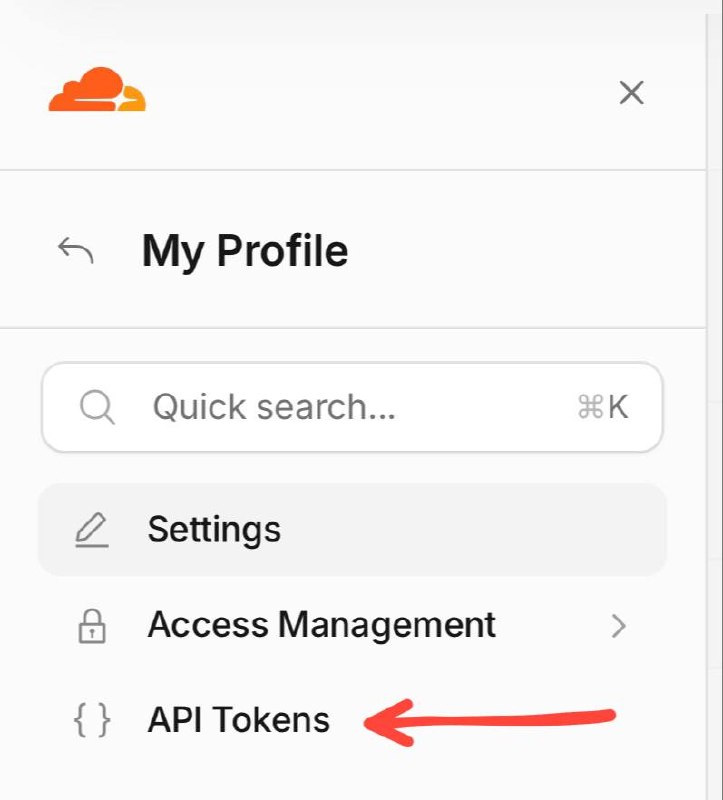
- Click Create Token.

- Enter a token name (any name of your choice; does not affect functionality), select Start from scratch, and choose Start with an Account policy.

- Select Bulk Select, then choose Add all Read & Write permissions.

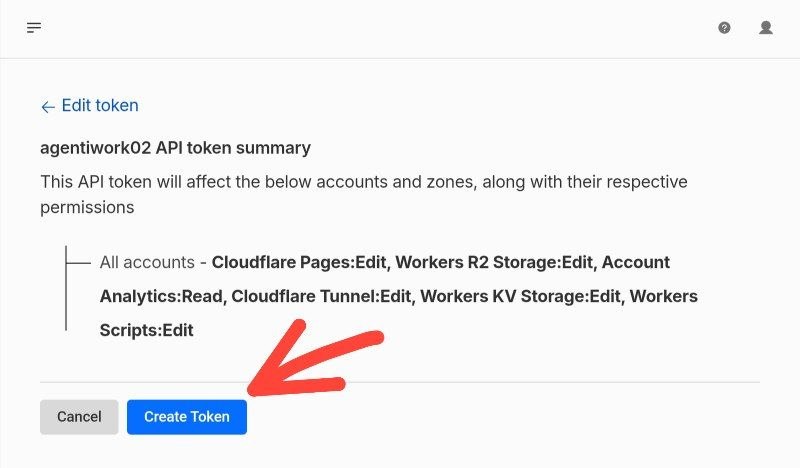
- Verify the configuration details as shown in the image, then select Continue to summary.

- Click Create Token.
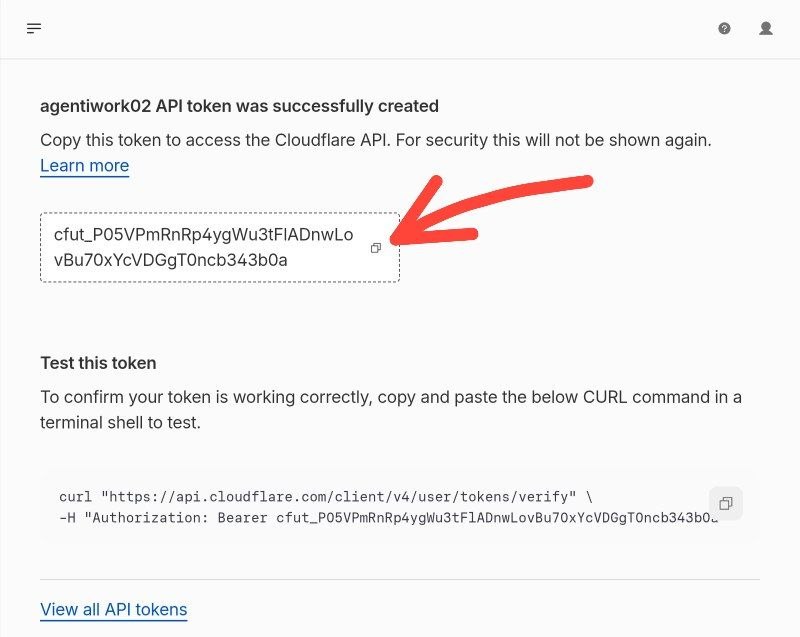
- Copy your generated API Token.
⚪ Token not provided yet